


Consumables
Consumables are goods that will be used up during a cruise. There are two types of consumables: single (just called consumable) and multiple. Single consumables are goods without stock management. These are relevant for complete packing lists required by customs. Multiple consumables are goods for which stock is managed in the IMS.
On the ‘Consumables Overview’ page and in the Planlists, different types of consumables are marked with specific icons:
 |
Single consumable |
 |
Multiple consumable |
 |
Hazardous content |
Add new consumable
Start adding a new consumable by clicking the ‘New’ button. This opens the ‘New consumable’ form. Fill in the forms as completely as possible. The available fields may vary by organization. After saving the form you will have the option to add additional information. To do this, look up the newly created consumable and click on it. This expands four tabs: Properties, Purchase History, Locations and Customs. Use the buttons on each tab to add additional information.
New consumable form
| Field | Description |
| Name | Name of the consumable |
| Group | ADD DESCRIPTION |
| Type | Consumable (single) or multiple |
| Unit | Unit, litre, metre, kilogram |
| Kg/unit1 | The weight per unit/litre/metre/kilogram |
| Description | A description of the consumable |
| Container | State if the consumable can contain other items |
| Hazardous | State if the consumable is hazardous |
| Hazardous substance2 | Select UN number for the hazardous substance |
| Hazardous outer package | State if the outer package of the consumable is hazardous |
| Hazardous inner package | State if the inner package of the consumable is hazardous |
| Mooring suitable | State if the consumable is suitable for mooring |
| Checklist3 | ADD DESCRIPTION |
| Dimensions | The dimensions of the consumable |
| Buoyancy3 | ADD DESCRIPTION |
1 Appears when multiple and a unit is selected.
2 Appears when the consumable is stated as hazardous.
3 Appears when the consumable is stated as suitable for mooring.
Properties tab
Here you can see the different properties of the consumable. These properties reflect the ones entered at the new consumable form.
NOTE: For multiple consumables the price will be automatically calculated based on the purchase history.
Purchase History tab
Here you can register previous purchases of the consumable as well as register deducted or lost quantities of the consumable. This tab is only available for multiple consumables.
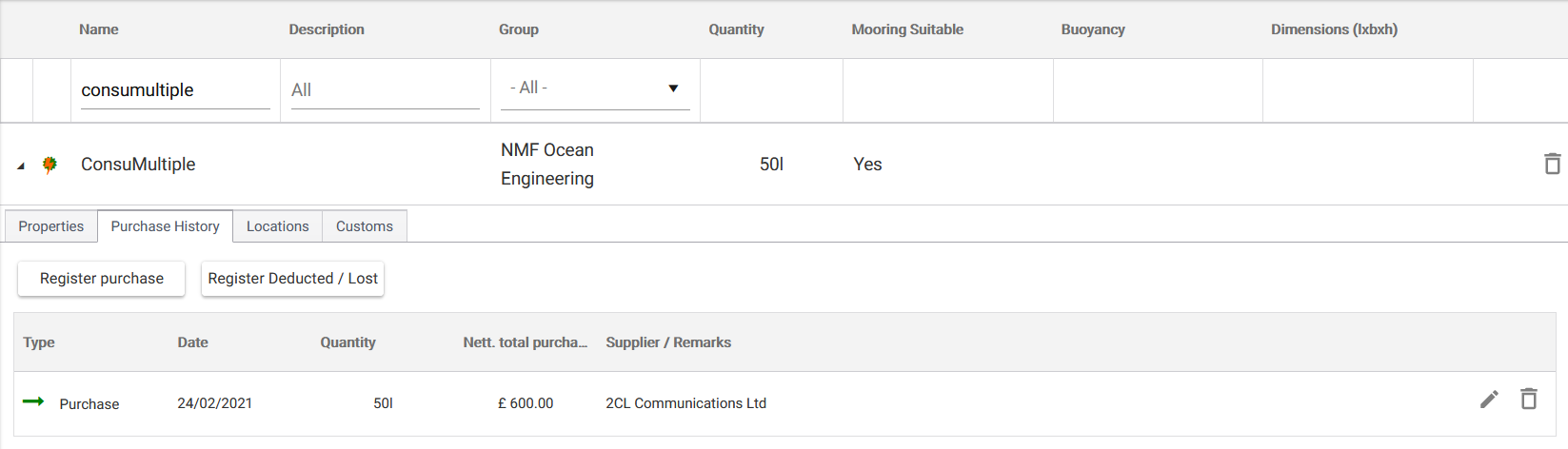
Fig. Purchase history tab example.
Locations tab
Here you will find a list of storage locations for the consumable. Each storage location is for the entire quantity for a single purchase. If you want to distribute the purchased quantity over multiple locations, please register the purchase in several postings. This tab is only available for multiple consumables.
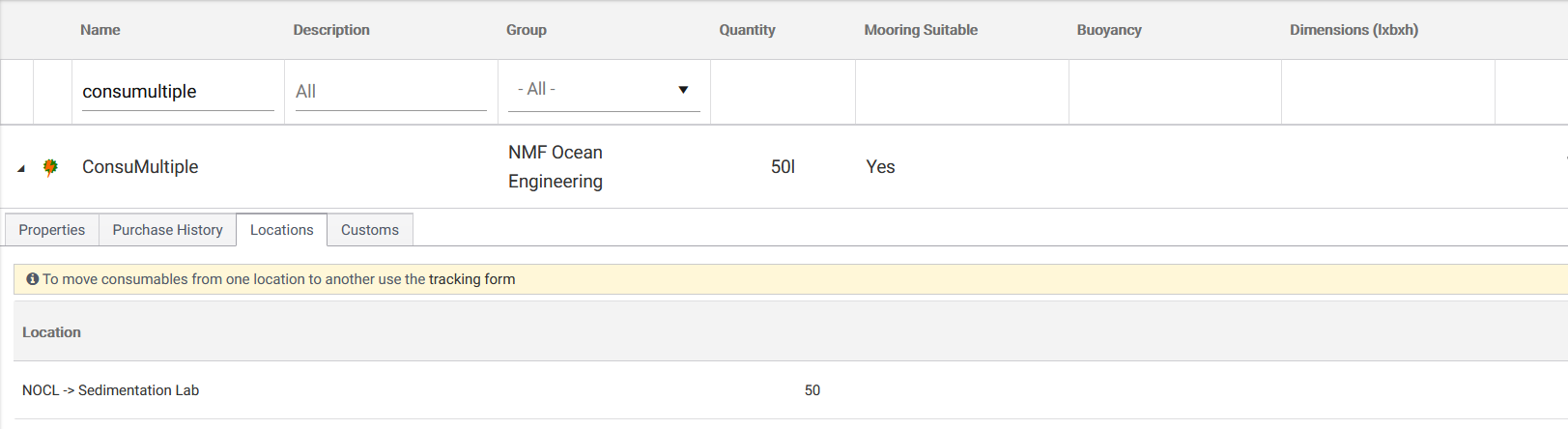
Fig. Locations tab example.
Customs tab
Here you can find and edit customs information for the consumable.
| Field | Description |
| HS code | An international standardized code for classifying products |
| Export license required | ADD DESCRIPTION |
| Customs description | A description of the consumable |
| Remarks | Additional customs information in regard to the consumable |
| Customs codes | Additional customs codes |
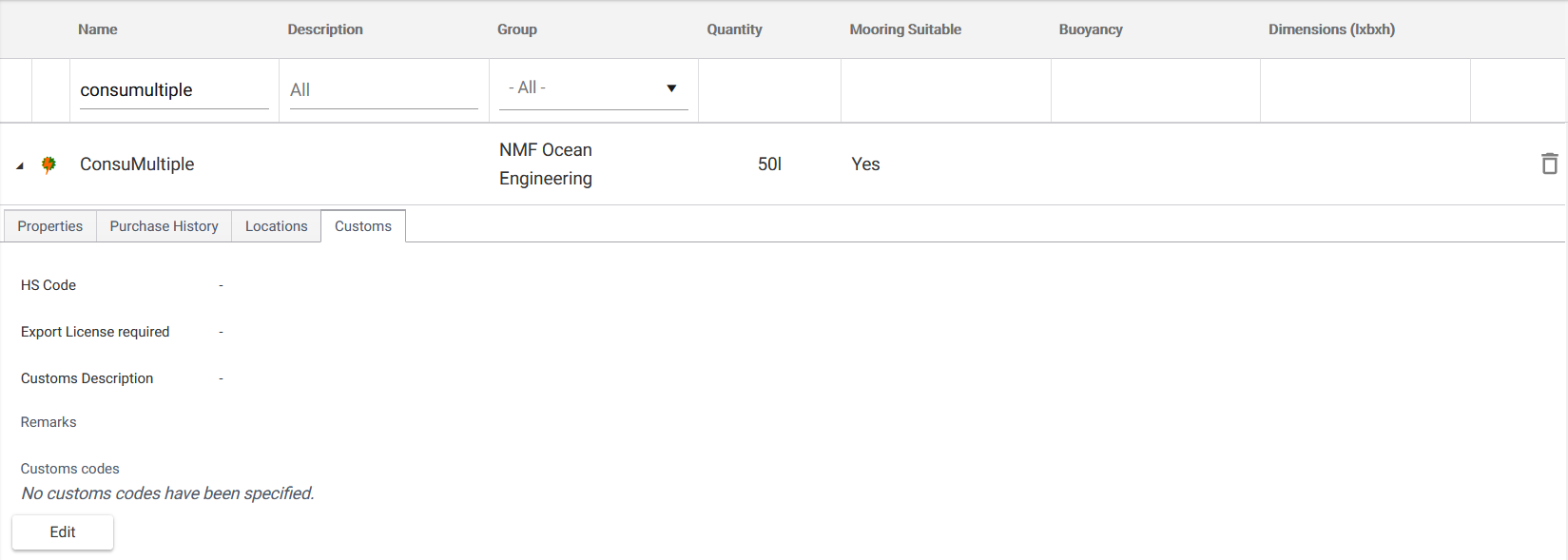
Fig. Customs tab example.
Register purchases and deductions
To register a purchase, click the ‘Register purchase’ button. Fill in the form as completely as possible and click ‘Save’ when you are done.
Register purchase form
| Field | Description |
| Quantity | The purchase quantity of the consumable |
| Nett. total purchase price | Net purchase price of the consumable |
| Customs price | The value used for calculating import duties |
| Purchase date | Purchase date of the consumable |
| Customs type | Free or bonded |
| Order number | The supplier order number |
| Requisition number | The internal order number of the organisation |
| Supplier | The supplier of the consumable |
| Manufacturer | The manufacturer of the consumable |
To register a deduction, click the ‘Register Deducted / Lost’ button. Fill in the form as completely as possible and click ‘Save’ when you are done. The deduction will be displayed in the purchase history.
Register deduction form
| Field | Description |
| Type | The type of deduction (e.g. lost or broken) |
| Quantity | The quantity of deducted items |
| Customs type | Free or bonded |
| Location | The location from which the items are deducted |
| Purchase date | The date of deduction |
| Reason | Additional info in regard to the reason of deduction |
NOTE: If the stock of a multiple consumable is 0, the item can still be added to Planlists. You will only get a warning during loading of the shipment.